
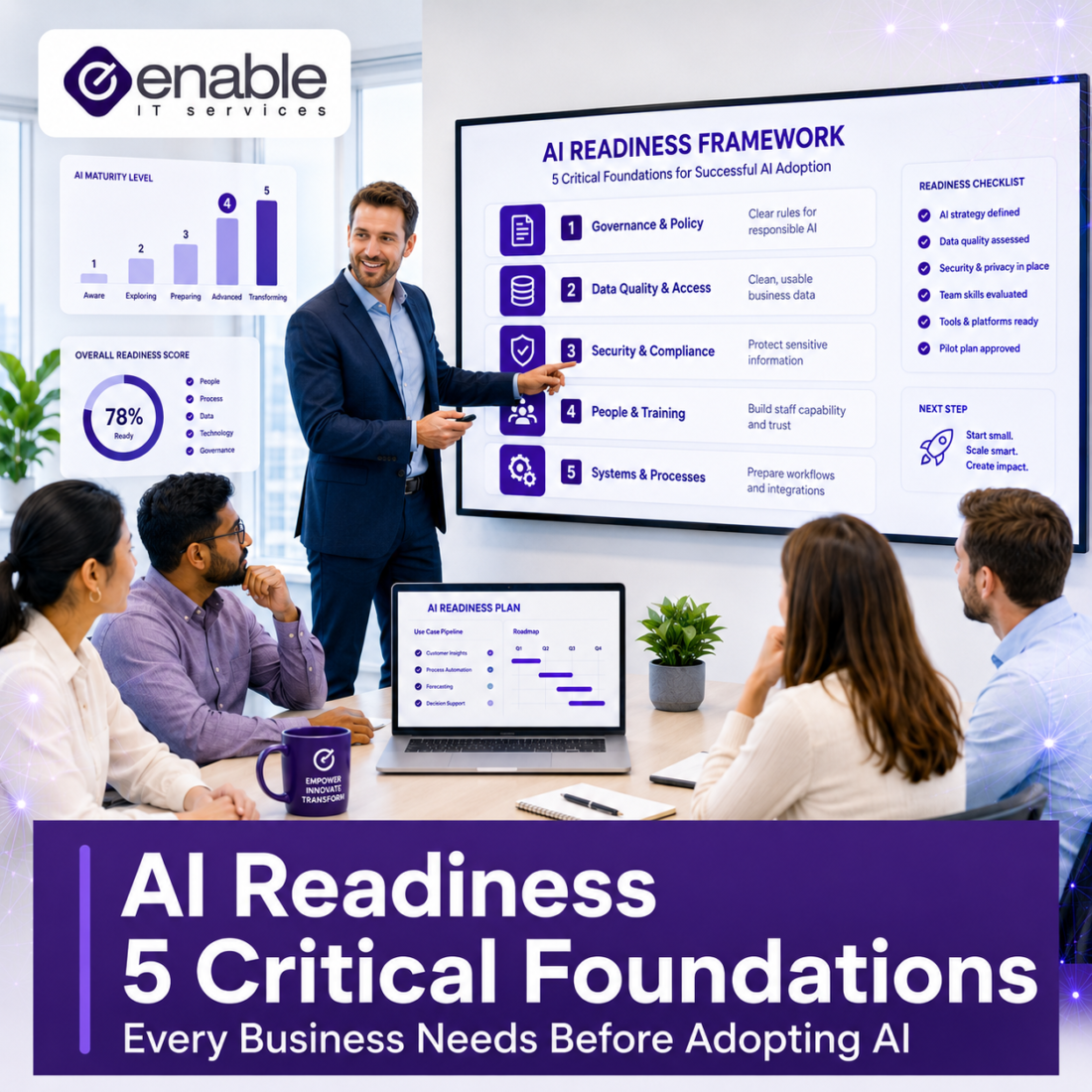
AI Readiness: 5 Critical Foundations Every Business Needs Before Adopting AI
AI can improve productivity, streamline operations, and help teams work smarter. But before rolling out Microsoft Copilot or other AI tools, businesses need to ensure their data, security, processes, and people are ready. Here’s what every organisation should review before taking the next step.
Artificial Intelligence is rapidly becoming part of everyday business operations. From Microsoft Copilot and ChatGPT to AI-powered automation platforms and intelligent business applications, organisations are finding new ways to improve efficiency, reduce administrative workload, and gain a competitive advantage.
However, successful AI adoption isn’t about simply purchasing licences and enabling a new tool.
The businesses seeing the greatest benefits from AI have already invested in the foundations that AI relies upon: organised data, strong security controls, clear governance, effective document management, and employee readiness. Microsoft’s Responsible AI principles emphasise security, privacy, transparency, accountability, reliability, and safety as essential components of successful AI deployment. Similarly, the Office of the Australian Information Commissioner (OAIC) stresses the importance of governance and privacy considerations when organisations use AI systems.
Before investing in AI for your organisation, look for these five warning signs.
Key Takeaways
- AI success starts with strong business foundations, not just technology.
- Poor permissions and disorganised data become more visible when AI is introduced.
- Microsoft Copilot relies on existing Microsoft 365 access controls.
- AI governance and staff training are essential for reducing risk.
- An AI readiness assessment can identify security, compliance, and operational gaps before deployment.
Sign #1: Your Business Data Is Disorganised
AI can only work effectively with the information available to it.
If your files are spread across SharePoint, Teams, OneDrive, network drives, email inboxes, desktops, and legacy systems, AI may struggle to surface accurate information. Worse still, it may uncover outdated, duplicated, or sensitive information that should have been archived or secured long ago.
Many organisations accumulate years of documents without a formal data governance strategy. Staff often know where information is stored because they’ve worked with the systems for years. AI does not have that same context.
Before implementing AI, ask yourself:
- Do we know where our critical business data is stored?
- Are old files archived or retained indefinitely?
- Are sensitive documents clearly identified and protected?
- Is information stored consistently across the business?
- Are duplicate or outdated documents being managed properly?
Microsoft 365 Copilot readiness assessments commonly identify poor data governance, inconsistent storage practices, and unstructured information as major barriers to successful AI adoption.
Enable IT Tip
Before deploying AI tools, conduct a data audit across SharePoint, Teams, OneDrive, and file servers to identify redundant, obsolete, or poorly managed information.
Sign #2: Your Permissions Haven’t Been Reviewed in Years
One of the biggest misconceptions about AI is that it creates new security risks. In reality, AI often exposes security risks that already exist. Tools like Microsoft Copilot typically operate within a user’s existing permissions. If employees already have access to information they shouldn’t see, AI simply makes that information easier to discover.
Common issues include:
- Former employee accounts that remain active
- Public Teams containing sensitive information
- Overshared SharePoint sites
- Outdated project folders accessible to everyone
- Guest accounts with excessive permissions
- Shared links that were never removed
This is particularly important because Copilot respects existing Microsoft 365 permissions. If those permissions are poorly managed, AI can accelerate the discovery of information that was already overexposed.
Questions to Ask
- Who can access HR files?
- Are finance documents restricted appropriately?
- Have guest accounts been reviewed recently?
- Are old SharePoint sites still accessible?
- Is external sharing controlled and monitored?
A permissions review before AI deployment can significantly reduce both security and compliance risks.
Sign #3: Nobody Knows Which Document Version Is Current
Most businesses have experienced the “Final_v2_Final_Approved_Updated” file naming problem. Humans can usually tell which document is current based on previous knowledge and context. AI cannot always make the same distinction. If outdated policies, superseded contracts, retired procedures, or old pricing schedules are stored alongside approved documents, AI may use information from the wrong source.
This becomes particularly risky when dealing with:
- Client contracts
- HR documentation
- Compliance procedures
- Policies and manuals
- Customer proposals
- Pricing schedules
- Cybersecurity documentation
If your staff rely on tribal knowledge to determine which document should be used, AI may produce inconsistent or inaccurate outputs.
A Better Approach
Businesses should establish:
- Clear version control processes
- Defined document ownership
- Approved document repositories
- Archiving procedures for outdated content
- SharePoint document governance policies
Reliable AI depends on reliable information.
Sign #4: Employees Are Already Using AI Without Any Rules
This is becoming one of the most common AI risks for small and medium businesses.
Many employees are already experimenting with AI tools to:
- Write emails
- Summarise meetings
- Draft reports
- Create content
- Analyse spreadsheets
- Conduct research
- Generate first drafts of proposals
The problem isn’t that employees are using AI. The problem is that many organisations have no policies governing how AI should be used. The OAIC has published guidance reminding organisations that privacy obligations continue to apply when personal information is entered into AI systems. Businesses are responsible for ensuring customer, employee, and commercially sensitive information is handled appropriately.
Without clear governance, staff may unintentionally expose:
- Customer records
- Employee data
- Financial information
- Business contracts
- Commercially sensitive documents
- Internal business strategies
Every Business Should Have an AI Policy
An AI usage policy should cover:
- Approved AI tools
- Acceptable use guidelines
- Privacy requirements
- Confidentiality obligations
- Data handling rules
- Human review requirements
- Compliance responsibilities
Rather than banning AI, organisations should create practical rules that allow employees to use it safely and effectively.
Sign #5: Your Team Isn’t Ready for the Change
Technology is rarely the most difficult part of an AI project. People are. Some employees will be excited about AI. Others may be concerned about job security, accuracy, compliance obligations, or how their role might change. Successful AI adoption requires cultural readiness as much as technical readiness. The organisations achieving the best outcomes focus on education and enablement rather than enforcement. They help staff understand:
- What AI can do
- What AI cannot do
- When human judgement is required
- How to identify inaccurate outputs
- How AI can enhance existing roles
The UK’s National Cyber Security Centre has highlighted the importance of understanding both the opportunities and risks associated with AI deployment rather than viewing it solely as a technology project.
Practical Ways to Build AI Readiness
- Run AI awareness workshops
- Create opportunities for staff experimentation
- Share approved use cases
- Establish internal AI discussion channels
- Provide guidance on reviewing AI-generated content
- Develop role-specific AI training programs
When employees understand AI as a productivity tool rather than a replacement tool, adoption becomes significantly more successful.
The Bottom Line
The biggest mistake businesses make is assuming AI readiness is about technology. It isn’t. AI readiness is really about:
- Organised data
- Appropriate permissions
- Strong security controls
- Reliable document management
- Clear policies and governance
- Staff education and adoption
AI doesn’t usually create new business problems. More often, it exposes existing ones faster and at a much larger scale. If your files are disorganised, AI will find the disorganisation. If your permissions are too broad, AI may surface information that shouldn’t be easily accessible. If your policies are unclear, staff will create their own processes. If your data is unreliable, AI outputs will be unreliable too. That’s why the most successful AI initiatives start with reviewing the organisation’s foundations before any licences are purchased or tools are deployed.
Frequently Asked Questions About AI Readiness
How do I know if my business is ready for AI?
A business is typically ready for AI when it has organised data, strong security controls, clear document management processes, defined governance policies, and employees who understand how AI should be used responsibly.
Is Microsoft Copilot secure for business use?
Microsoft Copilot operates within your existing Microsoft 365 security and permissions framework. However, organisations should review SharePoint, Teams, OneDrive, and Microsoft 365 permissions before deployment to minimise the risk of oversharing sensitive information.
What is an AI readiness assessment?
An AI readiness assessment evaluates whether an organisation has the technical, security, governance, compliance, and operational foundations required for successful AI adoption.
What are the biggest risks of implementing AI too quickly?
Common risks include:
- Data exposure
- Poor quality outputs
- Privacy and compliance concerns
- Uncontrolled AI usage
- Inconsistent business processes
- Low employee adoption
Proper governance and planning can significantly reduce these risks.
Why is data organisation important for AI?
AI relies on existing business information to generate responses and recommendations. Well-organised data improves accuracy, relevance, and reliability while reducing operational and security risks.
Should small businesses perform an AI readiness review?
Yes. Small and medium businesses often have fewer governance and compliance resources than larger enterprises, making it even more important to review security, permissions, and data management before deploying AI tools.
How Enable IT Services Can Help
At Enable IT Services, we help Perth businesses prepare for AI through:
- Microsoft 365 assessments
- Microsoft Copilot readiness reviews
- SharePoint and Teams permission audits
- Data governance planning
- Security configuration reviews
- AI usage policy development
- Staff training and adoption programs
- Ongoing managed IT support
Whether you’re exploring Microsoft Copilot or developing a broader AI strategy, our team can help ensure your business has the right foundations in place to maximise the benefits while minimising the risks.
Ready to assess your AI readiness? Contact Enable IT Services today and discover how to prepare your organisation for secure, practical, and successful AI adoption.
