
AI Phishing Awareness Training: Why the Old Rules No Longer Keep Perth SMEs Safe
Phishing awareness training used to be simple.
Staff were told to watch for spelling mistakes, strange email addresses, poor grammar, unexpected attachments and urgent requests from unknown senders. For years, that advice helped people spot many common scam emails.
But phishing has changed.
Today, cybercriminals can use artificial intelligence to write more convincing emails, copy a professional tone, personalise messages, create fake supplier requests and remove many of the old warning signs people were trained to look for. A phishing email no longer needs to look suspicious to be dangerous.
For small and medium businesses, this creates a real challenge. Your team may be able to spot an obvious scam, but can they recognise a well-written email that appears to come from a supplier, manager, client or trusted service provider?
This is why phishing awareness training needs to evolve. It is no longer just about teaching staff to “spot dodgy emails.” It is about helping people understand how modern scams work, how AI is changing the threat, and what practical steps they should take before clicking, replying, paying, approving or sharing information.
For Perth SMEs, this matters because many businesses rely heavily on email, Microsoft 365, cloud systems, online payments, shared files and supplier communication. One convincing message can lead to a compromised mailbox, a fraudulent payment, a data breach or a wider cyber incident.
The good news is that businesses do not need to panic. They do, however, need to update their approach.
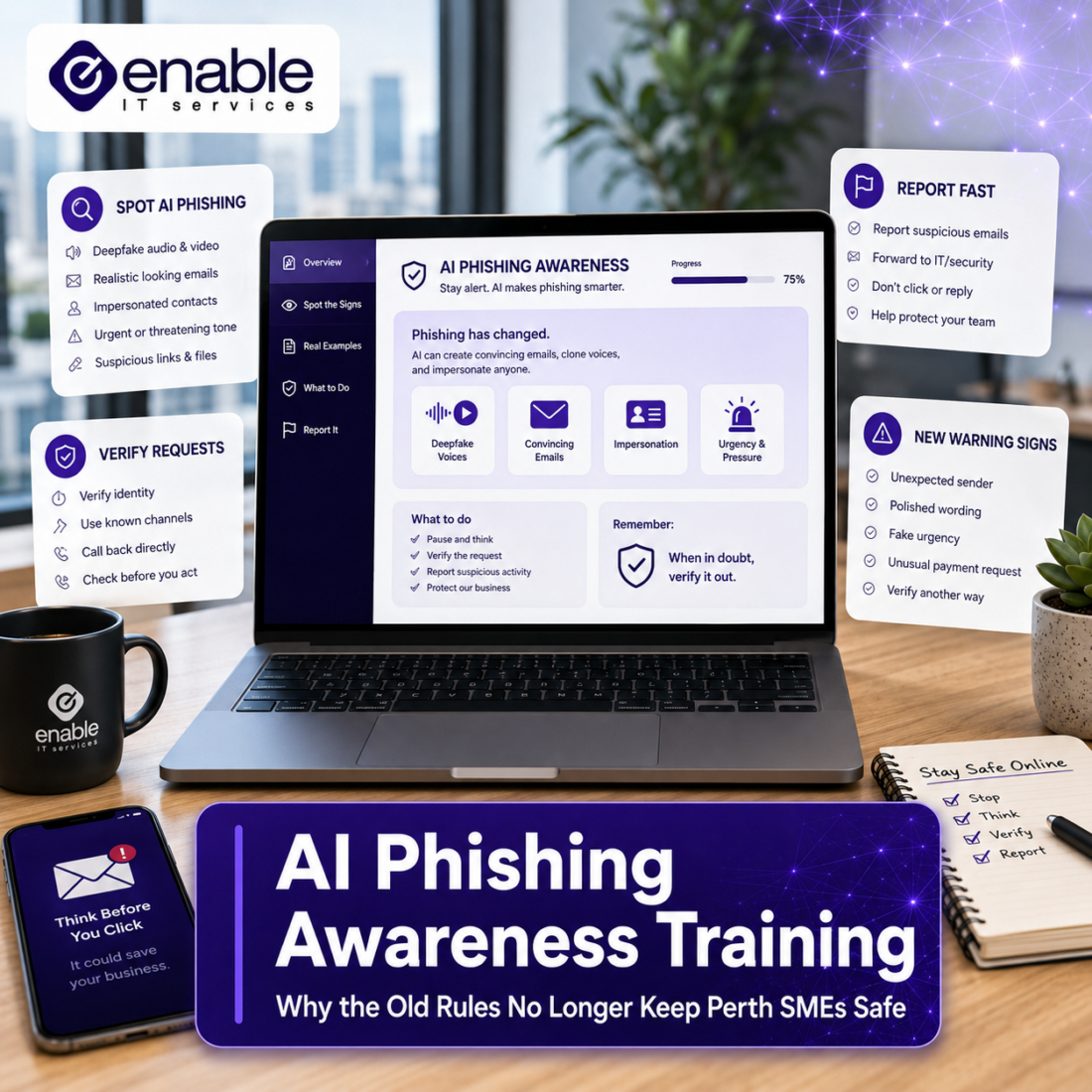
What Is AI-Powered Phishing?
AI-powered phishing refers to phishing attacks where criminals use artificial intelligence tools to create more convincing messages, automate scams or personalise communication at scale.
Traditional phishing emails were often easy to identify because they were generic. They might have used awkward wording, incorrect branding, broken formatting or unrealistic requests. AI makes it easier for attackers to remove those obvious flaws.
A modern phishing email might:
- Use correct spelling and grammar
- Sound professional and natural
- Refer to realistic business scenarios
- Imitate the tone of a supplier, manager or colleague
- Use publicly available information about your business
- Create urgency without sounding overly suspicious
- Continue the conversation with believable follow-up replies
The Australian Cyber Security Centre phishing guidance explains that phishing is a way cybercriminals trick people into giving away personal information, often through fraudulent emails or text messages that appear to come from organisations people know or trust. It also notes that spear-phishing is highly targeted to the recipient.
That targeted nature is where AI becomes especially concerning. AI can help attackers generate messages that feel specific to a person, role, business or current situation.
Why the Old Phishing Warning Signs Are No Longer Enough
Many employees have been trained to look for the same basic red flags:
- Bad spelling
- Poor grammar
- Strange sender addresses
- Suspicious links
- Unexpected attachments
- Requests for passwords
- Generic greetings
Those warning signs are still useful, but they are no longer enough.
AI-generated phishing emails can be clean, polished and context-aware. A fake invoice may look normal. A fake Microsoft 365 login alert may appear professional. A fake supplier request may refer to a real project or payment process. A fake message from a manager may use the right tone and timing.
The risk is not that staff are careless. The risk is that attackers are becoming better at creating messages that fit into normal business activity.
This is why modern phishing awareness training should focus less on “spot the typo” and more on “verify the request.”
Instead of asking, “Does this email look suspicious?” staff should be trained to ask:
- Was I expecting this request?
- Is this asking me to click, pay, approve, log in or share information?
- Has the sender changed bank details, payment instructions or login steps?
- Is there pressure to act quickly?
- Can I verify this through another channel?
- Would this be risky if the email account was compromised?
Business Email Compromise: The Phishing Risk SMEs Cannot Ignore
One of the most damaging outcomes of phishing is business email compromise, often called BEC.
Business email compromise occurs when criminals use email to abuse trust in business processes. They may impersonate a supplier, compromise a legitimate mailbox, alter invoice details, request a change of bank account or pretend to be an executive asking for an urgent payment.
The Australian Cyber Security Centre business email compromise guidance describes examples such as invoice fraud, employee impersonation and company impersonation. It explains that malicious actors may use similar names, domains, fraudulent logos or compromised email accounts to scam organisations out of money or goods.
This is particularly relevant for SMEs because many payment approval processes still rely on email. If an accounts person receives an invoice from a known supplier, or a manager receives a request that appears to be from a trusted contact, the message may not feel unusual.
The Australian Federal Police has also warned about business email compromise scams targeting Australian organisations, including examples where criminals impersonate businesses or employees to redirect legitimate payments. The AFP reported that scammers stole more than $152.6 million from Australians using BEC attacks in 2024, based on the source’s quoted Australian scam reporting data.
That makes AI phishing awareness training more than a cyber issue. It is a business continuity, finance and governance issue.
AI Has Changed What Staff Need to Learn
A once-a-year cyber awareness session may tick a compliance box, but it is unlikely to keep pace with how quickly phishing tactics are changing.
Modern phishing awareness training should help staff understand real business scenarios, not just theoretical scams.
For example, staff should know how to respond when:
- A supplier sends new bank account details
- A manager asks for urgent payment approval
- A Microsoft 365 login page appears after clicking a link
- A QR code asks them to authenticate
- A client shares an unexpected file
- A payroll change request arrives by email
- A voice message or call appears to confirm an unusual request
- A Teams or email message asks them to open a shared document
The goal is not to make staff paranoid. The goal is to build healthy verification habits.
That means staff should feel comfortable pausing, checking and escalating anything that feels unusual, especially when money, passwords, client data or business files are involved.
Phishing Is Not Just an Email Problem Anymore
When people hear “phishing,” they usually think about email. Email is still a major channel, but modern phishing can appear in many forms.
Phishing can involve:
- Emails
- SMS messages
- QR codes
- Phone calls
- Fake login pages
- Collaboration tools
- Social media messages
- Shared file notifications
- Supplier portals
- Cloud application prompts
The Australian Cyber Security Centre phishing guidance notes that phishing can involve fraudulent emails or text messages and may attempt to steal online banking logins, credit card details, passwords, verification codes or account registration details.
This matters because many businesses now operate across multiple communication channels. Staff may move between Outlook, Teams, mobile messages, cloud systems and supplier portals throughout the day. Attackers know that people are busy and that trust often carries across platforms.
A phishing awareness programme should therefore teach staff to recognise risky requests across the whole workflow, not only inside the inbox.
Microsoft 365 Phishing Protection Helps, But It Is Not the Whole Answer
Many Perth SMEs use Microsoft 365 for email, file storage and collaboration. Microsoft 365 includes security features that can help reduce phishing risk, especially when configured correctly.
Microsoft Learn anti-phishing protection guidance explains that phishing messages try to steal sensitive information while appearing to come from legitimate or trusted senders. It also notes that Microsoft 365 includes built-in anti-phishing protection for cloud mailboxes, with additional protection available through Microsoft Defender for Office 365.
These tools are important, but technology alone is not enough.
Even good email security can be challenged by:
- Compromised supplier accounts
- Lookalike domains
- Fake login pages
- Social engineering
- QR code phishing
- Business email compromise
- Requests that do not contain malware
- Messages that manipulate normal business processes
For example, a fake bank account change request may not include a malicious attachment. It may simply ask someone to update payment details. That is why staff training, payment verification procedures and Microsoft 365 security controls need to work together.
What Effective Phishing Awareness Training Should Include
Good AI phishing awareness training should be practical, regular and relevant to the business.
For SMEs, it should include:
1. Realistic examples
Staff should see examples that look like the emails they receive every day. This may include invoice changes, Microsoft 365 login prompts, supplier messages, delivery notifications, payroll requests, shared file alerts and executive requests.
2. Role-based training
Not every staff member faces the same risk. Finance teams, executives, HR, administration, sales and operations may all be targeted differently. Training should reflect the types of requests each role is likely to receive.
3. Verification habits
Employees should be taught what to verify and how. For example, any change to supplier bank details should be confirmed using a known phone number, not the contact details inside the suspicious email.
4. Clear reporting steps
Staff need to know what to do if they see something suspicious. If reporting is difficult, slow or embarrassing, people may ignore the warning signs.
5. Regular reminders
Cyber training should not be a one-off annual event. Short reminders, phishing simulations, toolbox talks and scenario-based discussions help keep security front of mind.
6. Support from leadership
If managers rush payment approvals, ignore verification steps or punish people for asking questions, staff will follow that behaviour. Cyber-safe habits need to be supported by leadership.
Practical Rules Every SME Should Teach Staff
Here are simple rules that can make a major difference:
Pause before acting
If an email creates urgency, slow down. Attackers often rely on pressure.
Verify payment changes
Never update bank details based only on an email. Confirm using a trusted phone number or existing verified contact.
Be cautious with login links
If prompted to log in to Microsoft 365, go directly to the known website or app rather than clicking an email link.
Do not share verification codes
Staff should never share MFA codes, password reset codes or account registration codes with anyone.
Treat QR codes carefully
QR codes can lead to fake login pages. They should be treated like links.
Report suspicious messages
Reporting early can help stop an attack before it spreads.
Ask before entering sensitive information into AI tools
This is increasingly important as staff use AI tools for productivity.
Why AI Phishing Awareness Belongs in Your Cyber Security Strategy
Phishing training should not sit on its own. It should be part of a broader SME cyber security strategy.
That strategy may include:
- Multi-factor authentication
- Conditional Access
- Microsoft 365 anti-phishing policies
- Endpoint protection
- Backup and recovery
- Security monitoring
- Password management
- Staff awareness training
- Incident response planning
- Vendor and payment verification processes
For Microsoft 365 environments, phishing risk is closely connected to identity security. If an attacker steals a password and bypasses weak authentication, they may gain access to email, files, contacts and business systems.
This is why training matters. Staff are often the first people to see a suspicious request. If they know how to respond, they become part of the defence.
How Often Should SMEs Run Phishing Awareness Training?
For most SMEs, annual training alone is not enough.
A more practical approach is:
- Formal awareness training at least annually
- Short reminders throughout the year
- Targeted training for high-risk roles
- Phishing simulations where appropriate
- Refresher training after incidents or near misses
- Updates when threats change
The point is not to overwhelm staff. The point is to keep learning relevant and manageable.
A five-minute discussion about invoice fraud in a finance meeting may be more useful than a generic one-hour presentation that staff forget the next day.
What Should Business Owners Ask Their IT Provider?
Business owners do not need to become phishing experts, but they should ask clear questions.
For example:
- Are our Microsoft 365 anti-phishing settings reviewed?
- Do we have MFA enabled for all users?
- Are high-risk accounts protected with stronger controls?
- Do we have a process for verifying payment changes?
- Can staff report suspicious emails easily?
- Do we run phishing awareness training?
- Do finance and payroll teams receive specific training?
- Do we monitor for suspicious mailbox activity?
- Do we have a response plan if an account is compromised?
- Are our backup and recovery processes tested?
These questions help move phishing awareness from a staff training topic into a business risk conversation.
How Enable IT Services Can Help Perth SMEs
Enable IT Services helps Perth businesses take a practical approach to cyber security, Microsoft 365 protection and staff awareness.
For SMEs, the goal is not to add complexity. The goal is to reduce the chance that one email, one click or one fake invoice turns into a serious business problem.
Enable IT Services can help businesses review their Microsoft 365 security posture, improve phishing protection, implement practical cyber awareness training, strengthen identity controls and create safer processes for payment verification, supplier communication and staff reporting.
For businesses exploring AI adoption, Enable IT Services can also help align cyber awareness with AI governance.
This matters because AI is not only changing productivity. It is also changing the way cybercriminals create convincing scams.
Final Thoughts
AI phishing awareness training is still important, but the content needs to change.
The old message was: “Look for spelling mistakes and suspicious links.”
The new message is: “Understand the request, verify through trusted channels, protect sensitive information and report anything unusual.”
AI has made phishing more believable. It has made scams easier to personalise. It has made business email compromise harder to identify. For Perth SMEs, this means phishing awareness needs to be practical, regular and connected to real business workflows.
The safest businesses will not be the ones that expect staff to spot every scam perfectly. They will be the ones that combine good technology, clear verification processes, strong Microsoft 365 security and a team that knows when to pause and ask questions.
That is what modern phishing awareness training should achieve.
FAQ: AI Phishing Awareness Training for SMEs
What is AI phishing?
AI phishing is a type of phishing attack where cybercriminals use artificial intelligence to create more convincing emails, messages or fake requests. These attacks may use better grammar, more natural wording and more personalised details than traditional phishing emails.
Why is AI making phishing harder to detect?
AI can help attackers write emails that sound professional, remove spelling mistakes and create messages that fit normal business situations. This means staff can no longer rely only on obvious red flags such as poor grammar or strange formatting.
Is AI phishing awareness training still worth it?
Yes. Phishing awareness training is still valuable, but it needs to be updated. Modern training should focus on verification habits, business email compromise, fake payment requests, Microsoft 365 login scams, QR code phishing and AI-generated messages.
How often should a business run AI phishing awareness training?
Most businesses should run formal training at least annually, supported by shorter reminders, phishing simulations or targeted updates throughout the year. High-risk teams such as finance, payroll, HR and management may need more frequent role-based training.
What is business email compromise?
Business email compromise is when criminals use email to trick an organisation into sending money, goods or sensitive information. This may involve fake invoices, changed bank details, compromised email accounts or impersonation of executives, suppliers or employees.
What should staff do if they receive a suspicious email?
Staff should avoid clicking links or opening attachments, report the message internally, and verify any unusual request through a trusted channel. If the email involves payment changes, login prompts or sensitive information, it should be treated as high risk.
How can Enable IT Services help with AI phishing awareness training?
Enable IT Services can help Perth SMEs review their Microsoft 365 security settings, improve phishing protection, strengthen identity controls, support cyber awareness training and create practical processes for reporting suspicious emails and verifying payment requests.
