
Copilot vs ChatGPT vs Gemini vs Claude: Which AI Tool Is Right for Your Business?
AI tools are everywhere. Business owners and managers are increasingly asking the same question:
“Which AI platform should we choose?”
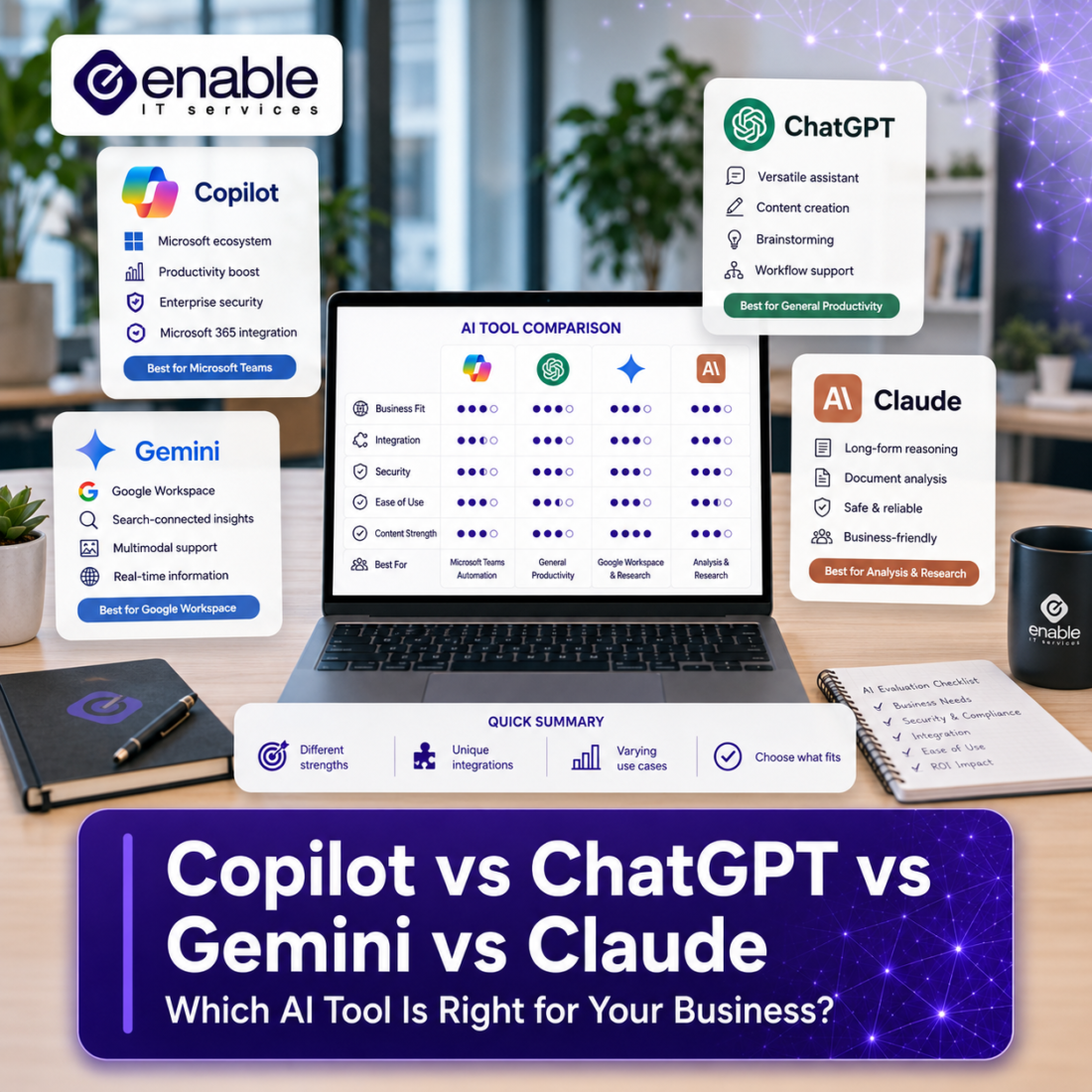
From Microsoft Copilot and ChatGPT to Google Gemini and Anthropic Claude, there is no shortage of options. Each platform promises improved productivity, faster decision-making, and better business outcomes. However, choosing the right AI tool isn’t simply about features. It’s about security, governance, integration, and how well the platform fits your existing business processes.
For Perth businesses exploring AI tools, understanding the strengths, limitations, and risks of each platform is becoming just as important as understanding any other technology investment.
Key Takeaways
- There is no single “best” AI tool for every business.
- Microsoft Copilot is often the strongest option for organisations heavily invested in Microsoft 365.
- ChatGPT remains one of the most flexible and widely adopted AI tool.
- Google Gemini is particularly appealing for Google Workspace environments.
- Claude is known for handling large documents and complex written content exceptionally well.
- Security, governance, and data handling should be considered before features and pricing.
- Successful AI adoption is about business outcomes, not choosing the most popular tool.
Why Choosing the Right AI Matters
Over the past year, many organisations have rushed to trial AI tools. In some cases, staff are already using them without formal approval or guidance.
While AI can significantly improve productivity, it can also introduce new risks. The Office of the Australian Information Commissioner (OAIC) advises organisations to carefully assess privacy, security, governance, and human oversight when adopting AI technologies. The OAIC also recommends organisations establish clear policies and procedures around AI usage before widespread adoption.
Similarly, Microsoft’s Responsible AI framework highlights principles including privacy, security, transparency, accountability, fairness, and reliability when deploying AI solutions.
This means the right question is often not:
“Which AI is the smartest?”
Instead, ask:
“Which AI is the best fit for our business systems, security requirements, and operational goals?”
Microsoft Copilot
Best For
- Microsoft 365 businesses
- Organisations using SharePoint, Teams, Outlook, and OneDrive
- Businesses with established governance and permissions management
Microsoft Copilot’s biggest advantage is its integration with Microsoft 365.
Rather than operating as a standalone chatbot, Copilot can work across emails, Teams conversations, meetings, documents, presentations, and business data already stored within Microsoft 365.
For example, users can:
- Summarise meetings
- Draft emails
- Generate PowerPoint presentations
- Analyse Excel data
- Search organisational knowledge
However, Copilot only works as effectively as the underlying Microsoft 365 environment. Poor file structures, excessive permissions, outdated content, and weak governance often become more visible when AI is introduced. This aligns closely with the AI readiness challenges many organisations face before deployment.
Potential Limitations
- Requires a well-managed Microsoft 365 environment
- Can expose existing permission issues
- May provide limited value if business information is poorly organised
ChatGPT
Best For
- General-purpose AI use
- Content creation
- Brainstorming
- Research assistance
- Process improvement
ChatGPT remains one of the most widely recognised AI platforms.
Its strength lies in flexibility. Businesses use it to:
- Create marketing content
- Generate ideas
- Draft policies and procedures
- Summarise information
- Assist with coding and technical tasks
Many organisations start their AI journey with ChatGPT because it is easy to access and delivers immediate value.
Potential Limitations
The challenge is governance.
Without clear controls, users may unintentionally paste sensitive information into public AI services. Organisations should understand how their data is handled and educate staff on appropriate usage policies before adoption. The OAIC specifically recommends caution when entering personal or sensitive information into publicly available generative AI tools due to privacy risks.
Google Gemini
Best For
- Google Workspace environments
- Businesses already invested in Google services
- Teams heavily using Google Docs, Sheets, and Gmail
Gemini is Google’s answer to business AI and integrates closely with Google Workspace.
For organisations that primarily operate within Google’s ecosystem, Gemini can provide a similar experience to what Copilot offers in Microsoft 365.
Common use cases include:
- Summarising emails
- Assisting with document creation
- Research assistance
- Productivity improvements
Potential Limitations
For organisations already heavily invested in Microsoft 365, adopting Gemini may introduce additional complexity and duplicate functionality.
In many cases, businesses achieve stronger value by leveraging AI within the ecosystem they already use.
Claude
Best For
- Long-document analysis
- Policy reviews
- Research
- Complex written content
Claude has developed a strong reputation for handling large volumes of information and producing well-structured written outputs.
Many professionals use Claude for:
- Reviewing contracts
- Analysing reports
- Summarising lengthy documents
- Drafting detailed business content
For businesses that regularly work with extensive documentation, Claude can be particularly effective.
Potential Limitations
Like any AI platform, it still requires human oversight. AI-generated content should be reviewed for accuracy, context, and business relevance before being relied upon for decision-making.
The Most Important Question Isn’t Which AI
Most AI comparisons focus on features.
In reality, the bigger question is whether the business is prepared to use AI effectively.
Organisations often achieve better outcomes by focusing on:
- Data governance
- SharePoint and file management
- Information classification
- Access controls
- Staff training
- AI usage policies
As we’ve discussed in previous articles, AI tends to amplify existing strengths and weaknesses. Good data management and governance produce better AI outcomes. Poor governance often creates risk.
The platform itself is only one part of the equation.
So Which AI Should Your Business Choose?
For many Perth SMEs, a simple guide is:
| If you use… | Consider… |
|---|---|
| Microsoft 365 heavily | Microsoft Copilot |
| Multiple platforms and general business tasks | ChatGPT |
| Google Workspace | Gemini |
| Large amounts of documentation and writing | Claude |
However, many organisations will ultimately use more than one AI platform.
The goal should not be to find the perfect AI tool.
The goal should be to identify which platform aligns best with your business processes, security requirements, governance model, and productivity objectives.
Final Thoughts
The AI market is evolving rapidly, and new features appear almost weekly. While the technology is impressive, successful AI adoption remains less about choosing the latest platform and more about building the right foundations around it.
Businesses that invest in governance, security, privacy, documentation, and user education are typically the ones seeing the greatest long-term value from AI.
For many organisations, deciding between Copilot, ChatGPT, Gemini, or Claude is only part of the challenge. Ensuring your data, security controls, policies, and Microsoft 365 environment are ready for AI tools is often where the real work begins. At Enable IT Services, we help Perth businesses assess their AI readiness, strengthen governance and security controls, review Microsoft 365 environments, and develop practical AI adoption strategies. Our goal is to help organisations choose and implement the right AI tools for their needs while balancing productivity, security, and compliance requirements.
The right AI tool can save time and improve productivity. The right preparation ensures it does so safely. Speak to us today to
Frequently Asked Questions
Is Microsoft Copilot better than ChatGPT?
Not necessarily. Microsoft Copilot is often a stronger fit for Microsoft 365 environments because it integrates directly with organisational data and workflows. ChatGPT offers greater flexibility across a wider range of use cases.
Can businesses use more than one AI platform?
Yes. Many organisations use multiple AI tools for different purposes such as productivity, content creation, research, and document analysis.
Is AI safe for business use?
AI can be used safely when supported by strong governance, clear policies, staff training, and appropriate security controls. Organisations should understand how data is handled before adopting any AI solution.
What should a business consider before adopting AI?
Key considerations include data security, privacy, governance, permissions, staff training, compliance requirements, and the quality of existing business information.
